
CHITCHATGG TV
Random Video Chat with Girls, One on One
Meet women through one-on-one video or private text in your phone or desktop browser. Enter matching and choose how to talk, without downloading an app.


Why Choose ChitChatGG TV?
Keep the conversation one on one, with video and private text available in the same browser-based service. There is no separate app to install before entering matching, whether you use your phone or a desktop.
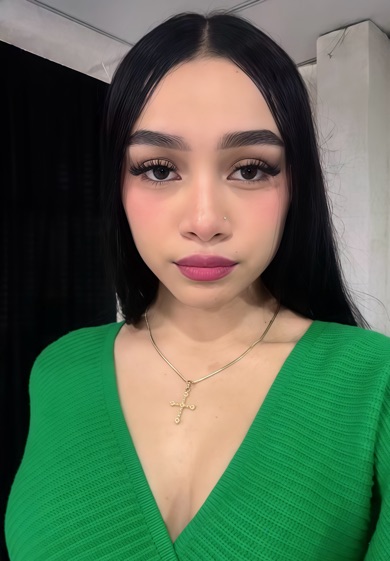
Choose how you want to talk and leave a conversation when you want. Matching availability can change: an introduction does not guarantee a particular person, language or waiting time. Featured photos do not indicate who is currently online. Read what profile photos and availability mean.
Random Video Chat with Girls
A random introduction gives you a way to meet someone outside your usual circle. On chitchat, open matching in your browser and discover a woman to talk with. You can choose a one-on-one video conversation or take a little more time with private messages.
ChitChatGG TV brings matching and conversation into one place on your phone. Learn how video matching works before you begin, or explore our guide to random video chat sites to understand the different ways people meet online.
1 on 1 Video Chat, One Conversation at a Time
A one-on-one video chat gives two people space to talk directly. You can see expressions, hear a voice and get to know the person on the other side of the screen. There is no group conversation to keep up with: you decide whether to continue the conversation or end it.
With chitchat gg, a match is the start of that conversation. Read our 1 on 1 video chat guide for more about the format, and our private video chat guide for things to consider before a call.
Chat with Girls on Your Phone
Use ChitChatGG TV in a supported mobile browser on iPhone or Android. You can start matching without downloading a separate app or filling in a registration form. For video, allow camera and microphone access when your browser asks, and use a stable internet connection.
The same matching entry is available on a desktop browser if you prefer a larger screen. Our mobile video chat instructions explain the steps, while our guide to meeting people through video chat offers ideas for getting a conversation started.
Private Text Chat Alongside Video
Sometimes it is easier to begin with a message. Private text chat lets you ask a question, introduce yourself or continue talking after an introduction. Text translation can help when you and your match speak different languages.
Choose the conversation style that suits you. Our guide to random chat and private conversations explains how an introduction can lead to a more focused exchange.
How to Start a Video Chat
- 01
Open matching
Tap Start matching to enter from your browser. You do not need to install an app to begin.
- 02
Meet someone new
Get an introduction through matching. The people you meet and the time it takes can vary.
- 03
Choose video or text
Continue with a one-on-one video call or private messages. You can leave a conversation whenever you want.
For the full walkthrough, visit how ChitChatGG TV works.
Explore Video Chat Alternatives
Different video chat platforms offer different ways to meet people. Browser access, matching, text chat and account requirements are useful details to compare before choosing where to start.
Our guides to Omegle alternatives, Emerald Chat alternatives and LuckyCrush alternatives introduce options for people exploring random and one-on-one video chat.
Understand Coins and VIP Before You Purchase
Explore matching and choose who you would like to talk with. Paid conversations use coins, with usage details available on the matching page before you decide to purchase.
VIP includes 719 coins, 5 matches and 10 messages for a one-month membership. It ends automatically and does not renew or charge you again automatically. No manual cancellation is needed; subscribe again yourself if you want another month. For a general explanation, read our guide to understanding paid video chat.
For help with a top-up or technical issue, contact our 24-hour live support team. Do not share your password or full card details.
Keep Control of Your Video Chat
Meeting someone new works best when you feel comfortable choosing what to share. Keep personal details private, check your camera background and end a conversation if it makes you uncomfortable. You can report a woman who breaks the rules from her profile, and use the available block controls when needed.
ChitChatGG TV is intended for adults aged 18 and over. Women joining the platform submit a recorded video of themselves for an age check. A check cannot guarantee another person’s intentions or every interaction. Read our video chat safety guide, online chat safety tips and privacy policy for more information before you start.
Video Chat Questions
How do I start video chat with girls?
Open matching on ChitChatGG TV to get an introduction. You can then choose video or private messages. For a video call, your browser needs access to your camera and microphone.
Can I use video chat on my phone?
Yes. Use a supported browser on your iPhone or Android phone. Keep a stable internet connection and allow camera and microphone access when you want to use video.
Do I need to download an app or register?
You can enter the matching flow in your browser without an app download or a registration form. Some account features may ask for additional details.
Can I chat by text as well as video?
Yes. Private messages are available alongside one-on-one video chat. Text translation can help when you and your match speak different languages.
Who is ChitChatGG TV for?
ChitChatGG TV is for adults aged 18 and over who want to meet women through one-on-one conversations. You can end a conversation and use the available report or block controls.
Is video chat free, or do I need coins?
Paid conversations use coins. Check the matching page for the available allowance and coin usage details before deciding whether to purchase.
What does VIP include?
VIP includes 719 coins, 5 matches and 10 messages. Review the price and purchase details shown in your account before paying.
Does VIP renew automatically?
No. VIP expires after one month and does not renew automatically. You do not need to cancel it manually. To continue with VIP, you need to subscribe again yourself.
How does ChitChatGG TV check age?
You must be at least 18 to use the platform. Women joining the platform record a video of themselves for an age check. This check cannot guarantee every interaction or another person’s intentions.
How do I report someone or get help?
You can report a woman who breaks the platform rules from her profile. Human customer support is available 24 hours a day to help with top-ups and technical issues. You can also email [email protected].